Your first recipe
Write your first recipes: one for the tablets, and one for the boxes you sell.
In 3 points
- 1 Write the tablet recipe: weigh, blend, press.
- 2 Add the amounts, the checks and the crew.
- 3 Write the box recipe, and get both approved.
Chapters
Press one to jump thereRead the words
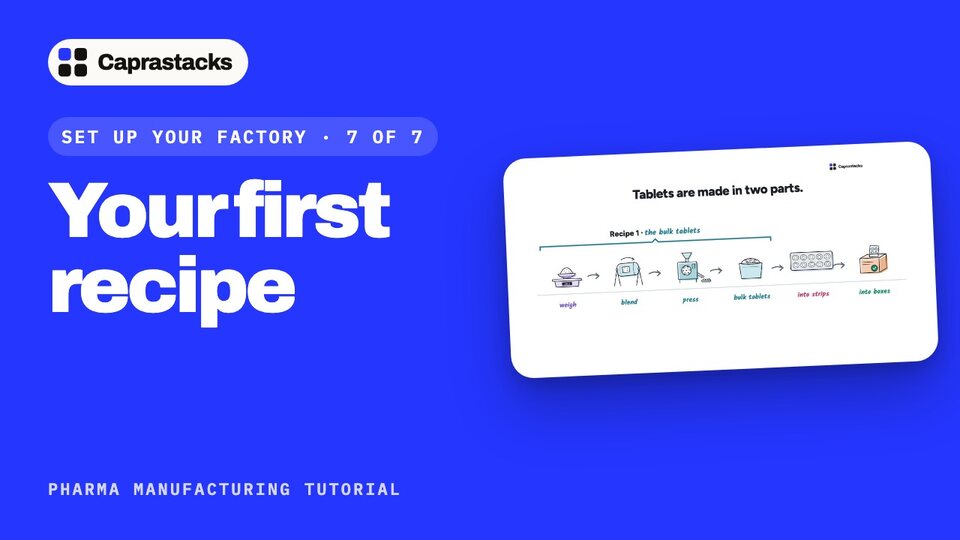
A recipe in two parts (0:00) In this video, we'll write your first recipe. The app calls it a formula. It says exactly how to make one batch: what to weigh, the steps in order, what to check, and who does each step. Tablets are made in two parts. First, the loose tablets: weigh the powders, blend them, and press them. Then the packing: the tablets go into strips, and the strips into boxes. So you write two recipes: one for the tablets, and one for the boxes.
Start a formula (0:33) Open Manufacturing, then Settings, and press Open First formula. Press New formula, and pick the product: the bulk tablets. Type the usual batch size: 200,000 tablets. If a batch can be smaller, pick Yes, any size in a range: here, 100,000 to 200,000. Add how long it keeps, 36 months, and press Start formula.
Add a stage (1:03) Now the recipe, stage by stage. A stage is one step, done in order. Press Add the first stage. Name it Weigh the materials, and pick Dispensing. Write what the operator does, the procedure number, and the room. Add about how long it takes, and the expected yield: how much should come out, as a share of what went in. Press Add stage.
What is weighed (1:30) Now, what is weighed. Press Add material. Search for paracetamol, and type the amount for one batch: 100 kilograms. Allowed difference is how far the scale may be off: half a percent. Press Add another material for each powder: the maize starch, the cellulose, the povidone and the magnesium stearate. Then press Add to recipe.
Checks and crew (1:56) For a smaller batch, every amount shrinks with it. Each stage can also have checks, which the operator writes down, and a crew: the people and machines it needs.
The other stages (2:07) Add the other stages the same way. Blend, with the blender and the blend time. Then Compress into tablets. Its checks: the average weight of 20 tablets, between 582 and 618 milligrams, and the hardness. Its crew: two operators and the tablet press.
Send it for approval (2:28) The recipe is ready. Press Send v1 for approval. Now nobody can change it. The person who wrote it should not approve it. So your head of quality does. First, in Settings, Staff, give them Full access to Formulas. Then they open the formula, press Approve v1, and type the code the app emails them. Now version one is in use. Every batch is made from it.
The second recipe: boxes (2:56) Now the second recipe: the boxes you sell. Start a new formula for Paracetamol 500 mg tablets: 2,000 boxes a batch. Add one stage, and pick Packaging. Its material is the bulk tablets you just made: 200,000, which is 100 in each box. Add its checks, and its crew: four packers and the blister machine.
Packing, and counting back (3:22) The packing goes on the packaging list. Press Add packaging item, and add the plastic film, the foil, the printed cartons, the leaflets and the shipper cartons. For printed items, tick Count it back at the end. What was handed out must match what was used, spoiled and handed back. Then send it for approval, and your head of quality approves it.
Tips, and new versions (3:47) One tip: in Settings, Stages and checks, press Add the usual. Then the app suggests stage names and checks as you type. To change a recipe later, copy it to a new version, and approve it again. Batches already made keep the version they used.
Your factory is set up (4:05) And that's all eight steps. Your factory is set up. In the next videos, we'll make your first batch.