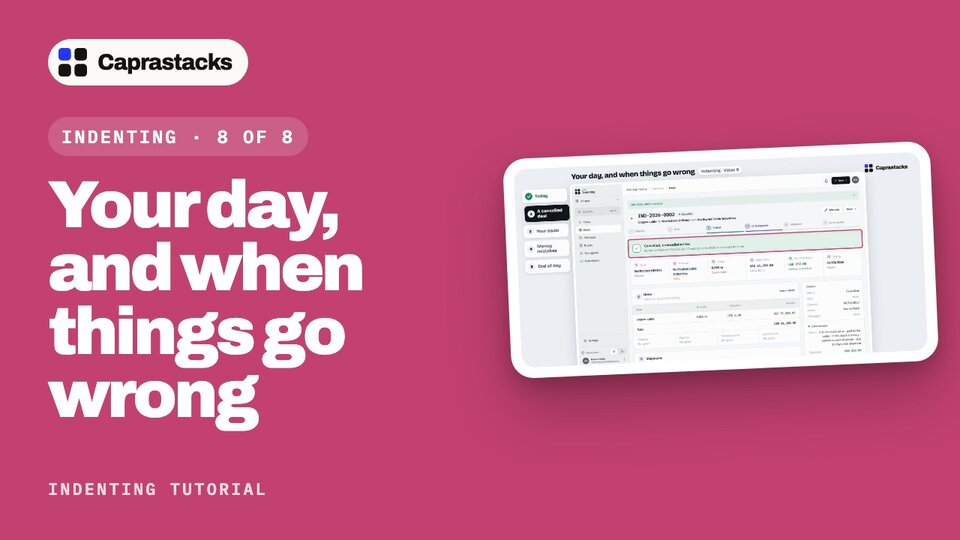
Your day, and when things go wrong
One day at the desk: see what needs you, put a cancelled deal right, merge a deal typed in twice, fix money mistakes, and end with your numbers.
In 3 points
- 1 Today: what needs you, this week, and commission this month.
- 2 Cancel a deal with a fee, and merge a deal typed in twice.
- 3 Undo a match, reverse money, and read your reports and profitability.
Chapters
Press one to jump thereRead the words
One day at the desk (0:00) A few weeks on, more deals are open. Every day starts the same way: see what needs you, and keep each deal moving. Some days, something goes wrong. A buyer cancels, a deal is typed in twice, or money lands in the wrong place. Here's one day: start with Today, put a cancelled deal right, tidy your deals, fix money, and end with your numbers.
Today (0:21) Click "Indenting". It opens on Today. At the top: what needs you, how many deals are open, and the money received this month. The pipeline shows where your open deals are. Click a step to see its deals. Needs you lists the jobs waiting for you: shipments with no claim, claims waiting too long, LC dates near, steps put off, and money not matched. Each has its own button. Today, one thing: the LC on the copper cable deal expired, with fifty-one thousand two hundred dollars not shipped. This week shows what ships, arrives or falls due this week. And commission this month: what you expect, what you claimed, what came in, and what is still owed.
A cancelled deal (1:01) Then a WhatsApp message from Northshore: the LC won't be extended, so they cancel the order. Keep it on the deal. Click "Deals", then the copper cable deal. At the top, click "Add note". Paste the message. Where it came from: WhatsApp. And who sent it. Click "Add note". The note stays on the deal, with the day it came. Now cancel the deal. Click "More", then "Cancel deal". What happens to the commission? Three choices. No commission: nothing is earned. Decide later: nothing changes until you decide. Claim a cancellation fee: Northwind agreed to pay two hundred and fifty dollars for your work. Click it, and type two fifty. Add why it's cancelled, then click "Cancel deal". The deal is cancelled. Its commission is now the fee, still to come.
Your deals (1:45) Click "Deals". Every open deal, where it is, and what comes next. At the top: All open, Needs you, and Mine. Filter by stage, principal, buyer, owner or currency. Table shows one row for each deal. Board shows each step as a column. Calendar shows what falls due, month by month. The fee is due in December. Back to the table. Something's wrong here: these two are the same deal, typed in twice. Open the second one, and click "More". Here are the fixes for a deal: duplicate it, merge it, move it to another principal, cancel it, or delete one typed in by mistake. Click "Merge with another deal". Pick the deal to keep. On the right, what merging does: it earns no commission, and it stays, marked Merged, pointing to the deal kept. A merge can't be undone. Click "Merge deal". Now there's one.
Money mistakes (2:34) Money matched to the wrong commission? Click "Commission", then "Money", then the money. Under "What it paid", each match has "Undo". It asks why, then opens both sides again, ready to match afresh. Money recorded by mistake? "Reverse this money" undoes its matches first, then reverses its entry. Nothing is deleted. Each fix posts the opposite entry, and keeps the reason. Here nothing is wrong, so click "Cancel".
End of day (3:00) End of day. Click "Commission", then "Reports". Each one answers a question: who earns you the most, which buyers bring commission, which claims are getting old, and more. Click one to read it. "Excel" and "PDF" download it as you see it. Then "Profitability": what your commission earned, and what you kept after sub-agents, taxes, the bank and the exchange. And still to come: what's earned, but not paid yet. Here, the fee. That's your day: see what needs you, put things right, and know your numbers. And that's the series: from a buyer's question to money in your bank.