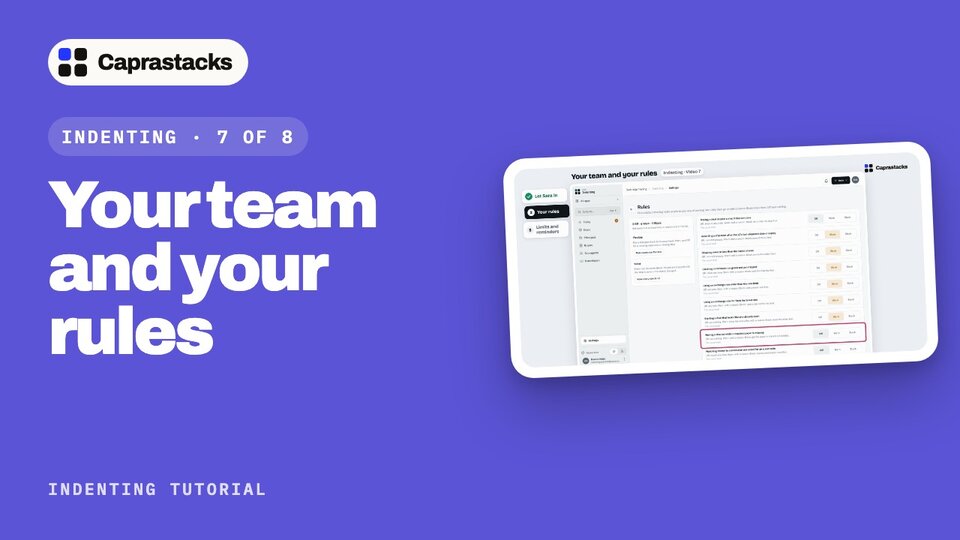
Your team and your rules
Sara joins your team. Let Sara open only what the job needs, set how strict the app is, and check the limits and reminders behind your rules.
In 3 points
- 1 Add a staff member who opens only Indenting.
- 2 Rules at Off, Warn or Block, and the Flexible and Strict shortcuts.
- 3 Exchange-rate limits, reminders, and the rest of Indenting's settings.
Chapters
Press one to jump thereRead the words
Sara joins your team (0:00) Your deals are going well, so you've hired help. Sara joins your team, to look after the deals day to day. Sara is new. Sara should open only what the job needs, and every deal should still be done your way. So before Sara starts, you do three things: let Sara in, set your rules, and check the limits behind them.
Let Sara in (0:19) Staff are added in Settings, the app for your company's own details. Click "All apps" at the top of the menu. Then click "Settings". It opens on your company profile. In its menu, click "Staff". This page lists everyone who can open your company. Right now, only you, the owner. Your plan gives you three staff slots. All three are free. Click "Add staff member". On the left, the five steps. Step one: who is it? Type Sara's full name, and the email Sara will sign in with. Then a first password. Sara can change it later. Before Sara can sign in, the app emails a link to confirm the address. A job title, if you like. It's only a label. Click "Continue". Step two: which apps? At the top, "Let them manage staff" stays off. That's for people you trust to add staff. Below, every app. None hides it. View lets Sara read it. Full lets Sara add and change. A new person starts with the everyday apps open. Sara needs only Indenting. Click "Indenting", then "Full". Now the others. Click "Dashboard", then "None". It moves down to Hidden. Do the same for each of the others. Now Sara can open one app: Indenting. Click "Continue". Step three: which parties? "All parties", so Sara can work with every principal and buyer. Click "Continue". Step four: which cash and bank? Every account starts at "Use and see". Sara records money that lands in the US dollar account. Click "Use only": Sara can pick it, but can't see its balance. Sara has no work in the other two, so click "Hidden" on each. Click "Continue". Step five checks it all. Click "Add staff member". Sara is added, and shows on your staff list: one of twelve apps, all parties, one bank account. "Confirming email" means Sara hasn't clicked the link yet. Once Sara does, Sara can sign in.
Your rules (2:08) Now your rules. Click "All apps", then "Indenting". At the bottom of the menu, click "Settings". This page is how Indenting works for your company. Only owners and administrators see it. Sara won't. Click "Rules". Each rule watches for one thing that can go wrong in a deal. Each rule has three levels. Off says nothing. Warn lets people go on, but they must type a reason. Block stops them until it's fixed. You've met one already. When the second ship carried more than the indent allowed, the app asked why. That was this rule, on Warn. These two watch the exchange rate: one that is too old, or too far from the latest rate. Three rules start Off. This one: moving a deal on while a required paper is missing. Sara is new, so make it Warn. It's checked when a deal is closed: anyone who closes one with a paper missing must say why. On the left, two shortcuts. Flexible puts every rule back to its usual level. Strict makes every rule Block. Click "Save rules". The count now says two Off, seven Warn. And the rule shows who changed it, and when. Every reason someone types is kept too, with their name.
Limits and reminders (3:18) Now back to Settings: click it in the menu. The two rate rules use these limits. Click "Exchange-rate limits". A rate is old after seven days. A typed rate is far off when it's more than five percent from the latest rate. These suit most offices. Click "Keep as it was". Click "Reminders". Chase a claim after twenty-one days. A claim sent this long ago, with no money yet, shows on Today, under Needs you. Warn before LC dates: fourteen days before an LC's last shipment date or expiry, it turns warm. Signal at five days: then it needs you now. Click "Keep as it was". The rest you set once. Tax taken from commission: if your bank keeps tax from commission that comes from abroad, add it here. Numbering: how deal numbers look, and which one comes next. Payment methods: the ways a buyer can pay, like LC at sight. Rename, reorder or hide them. Hints for trade words: one plain line under words like LC and B/L. Switch them off when your team knows them. And the first three, commission terms, steps and papers, you met in set-up. Sara is in, with only what the job needs. And every deal follows your rules. Next time: when things go wrong, and how to put them right.